
Introduction
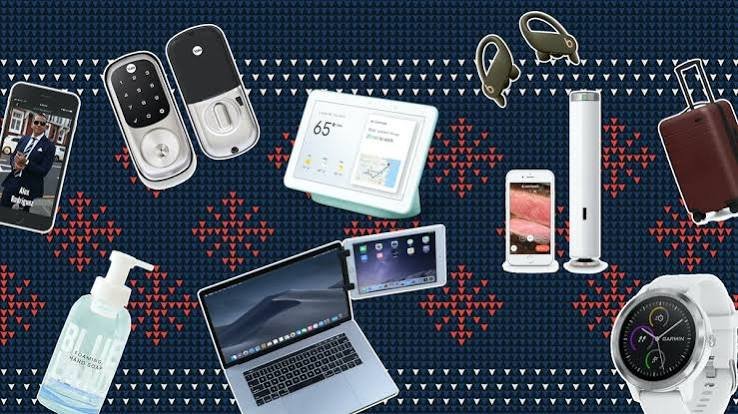
Technology is no longer limited to smartphones, laptops, and other major electronic devices. Some of the most useful innovations today come in the form of small accessories that make everyday technology easier to use. From wireless chargers and smart trackers to intelligent earbuds and compact USB-C hubs, these accessories can save time, improve productivity, and make daily routines more convenient.
Think about a typical day. You might start by checking your smartphone, use your laptop for work, listen to music through wireless earbuds, and rely on a smartwatch to track your activity. Along the way, you may need to charge your devices, organize your workspace, find your keys, or connect several gadgets at once. Smart accessories are designed to simplify these ordinary situations.
What makes modern accessories particularly interesting is the growing role of artificial intelligence, wireless connectivity, compact sensors, and improved battery technology. Products that once performed a single basic function are becoming more adaptable and capable of working with other devices.
However, useful technology does not always have to be expensive or complicated. A simple charging station can reduce cable clutter, a well-designed laptop stand can improve desk comfort, and a small tracking device can help locate misplaced belongings. The real value of an accessory lies in how effectively it solves a problem.
In this article, we explore practical smart accessories worth knowing about, explain how they work, and examine how they can improve productivity, organization, entertainment, travel, and everyday comfort.
1. Wireless Charging Stations: A Simpler Way to Power Devices
Keeping several electronic devices charged can quickly become inconvenient. Smartphones, smartwatches, wireless earbuds, and other gadgets may each require separate cables and adapters. A wireless charging station can help bring these devices together in one organized location.
Modern charging stations are designed to support compatible devices using wireless charging standards. Depending on the model, a station may charge a smartphone, smartwatch, and earbud case simultaneously.
This arrangement is especially useful on bedside tables, office desks, and kitchen counters. Instead of searching for several cables, users can place compatible devices in designated charging areas.
Some charging accessories also feature adjustable stands, allowing users to view notifications or participate in video calls while their phones charge. Others fold into compact shapes for travel.
The benefits extend beyond convenience. A well-organized charging area can reduce cable clutter and make it easier to remember to charge essential devices before leaving home.
However, wireless charging is not always the fastest option. Charging speed depends on the charger, device compatibility, temperature, and alignment. Wireless charging can also produce more heat and may be less energy-efficient than wired charging.
Before purchasing a charging station, check whether it supports your specific devices and the charging standards they require. A product advertised as compatible with a particular ecosystem may not support every device or feature in that ecosystem.
For people who own multiple compatible gadgets, a quality charging station can be a simple upgrade that makes daily routines more organized.
2. Bluetooth Trackers: Finding Lost Items More Easily
Misplacing keys, bags, wallets, or other everyday belongings can waste valuable time. Bluetooth trackers offer a practical way to locate these items using a smartphone and a small electronic accessory.
These trackers are usually attached to personal belongings or placed inside bags. Through a compatible application, users can check the last known location of a tracker, trigger a sound, or use nearby-device detection to help find an item.
Some tracking networks can also help locate items when they are far away from the owner’s phone. Compatible nearby devices may anonymously relay location information through the network, depending on the product and its settings.
For frequent travelers, trackers can be useful for monitoring luggage. Students can attach them to backpacks, while commuters may use them for keys or everyday bags.
Certain trackers support precision-finding features that provide directional guidance when used with compatible phones and hardware. Other models rely primarily on Bluetooth proximity and map-based location information.
It is important to understand that not all trackers use GPS. Many rely on Bluetooth and nearby devices, so their ability to locate an item depends on the technology and network available.
Privacy also matters. Tracking systems should include protections against unwanted tracking, such as alerts when an unfamiliar tracker appears to be moving with someone.
Trackers are not a guarantee that lost or stolen property can be recovered. They are most useful as a practical aid for finding misplaced belongings.
For a relatively small investment, a tracking accessory can make an everyday frustration much easier to manage.
3. Smart Plugs: Making Ordinary Appliances More Convenient
Smart plugs are among the simplest ways to introduce connected technology into a home. They plug into a standard electrical outlet and allow compatible appliances to be controlled through an application, schedule, or supported voice assistant.
For example, a smart plug can turn a lamp on at a particular time, switch off a desk fan after work, or help users manage holiday lighting without repeatedly operating a physical switch.
Some models provide energy-monitoring features that estimate how much electricity a connected appliance consumes. This information can help households understand the energy use of selected devices.
Smart plugs can also support basic automation. A lamp might switch on at sunset, or a connected appliance might turn off according to a schedule.
However, smart plugs are not suitable for every electrical device. Appliances with high power requirements must remain within the plug’s rated limits. Equipment that requires a specific startup sequence or continuous power should not be connected without checking the manufacturer’s guidance.
Smart plugs should never be used to bypass safety controls or operate appliances in ways that could create fire or injury risks.
Connectivity is another consideration. Some products rely on Wi-Fi, while others use different communication standards or require a compatible hub.
When selecting a smart plug, look for appropriate electrical ratings, reliable software support, clear privacy information, and compatibility with your existing smart home setup.
A smart plug is not a dramatic piece of technology, but it can make an ordinary home more convenient with minimal effort.
4. USB-C Hubs and Docking Stations: Better Connectivity for Modern Devices
Many modern laptops are designed to be thin and lightweight, which can mean fewer built-in ports. This creates a problem for people who need to connect external monitors, storage drives, wired accessories, memory cards, or network cables.
USB-C hubs and docking stations address this issue by expanding the number of connections available from a compatible device.
A compact hub may provide additional USB ports, HDMI output, memory card readers, and USB-C power pass-through. Larger docking stations can offer more extensive connectivity for home offices and professional workstations.
For students, a hub can make it easier to connect a laptop to classroom displays or external storage. Remote workers can use one to connect a monitor, keyboard, mouse, and other accessories at a desk.
Photographers may benefit from integrated memory card readers, while people who frequently transfer large files may prefer a hub that supports faster data-transfer standards.
However, not every USB-C port supports the same functions. Some support charging and data only, while others also support video output. Display resolution, refresh rate, and charging performance depend on the hub and the host device.
Cheap or poorly designed hubs may also overheat, provide unstable connections, or fail to deliver their advertised speeds.
Before buying one, check your laptop’s supported standards, the number of ports you need, the power requirements of connected devices, and the monitor specifications you intend to use.
A well-chosen USB-C hub can turn a minimalist laptop into a flexible workstation without requiring a separate computer for each environment.
5. Smartwatch Accessories That Improve Everyday Use
Smartwatches provide convenient access to notifications, fitness information, navigation, and selected communication features. The right accessories can make them more comfortable and practical.
Replacement bands are among the simplest upgrades. Different materials suit different situations. Silicone bands are often convenient for exercise, while fabric or leather-style options may suit everyday or formal wear.
Screen protectors can help protect compatible watch displays against scratches, although their effectiveness varies by material and design. Protective cases offer additional coverage for some models but may increase bulk.
Charging stands and portable watch chargers can also make a difference. A dedicated stand provides an organized charging location at home, while a compatible portable charger can be useful during travel.
Some accessories are designed to improve fitness use, such as adjustable sports bands that help keep the watch securely positioned during movement.
Comfort should be the main consideration when selecting wearable accessories. A strap that is too tight may irritate the skin, while one that is too loose can affect sensor contact.
Compatibility is especially important because watch bands, charging systems, and protective accessories are not universally interchangeable.
Users should also be cautious about accessories that claim to improve medical measurements or add unsupported health-monitoring capabilities. Such claims require appropriate evidence.
The best smartwatch accessories improve comfort, protection, and convenience without interfering with the device’s normal functions.
6. Wireless Earbud Accessories for Better Listening
Wireless earbuds are convenient, but a few practical accessories can improve how they are stored, maintained, and used.
Replacement ear tips are especially useful. Different sizes and materials can provide a better fit, improve comfort, and help create an appropriate acoustic seal. A secure fit can also improve passive noise isolation.
Small carrying cases offer extra protection for some earbuds, while cleaning tools can help remove accumulated debris from suitable surfaces. Cleaning should follow the manufacturer’s instructions to avoid damaging delicate components.
For travelers, a compact organizer can help prevent earbuds and charging cables from becoming tangled with other belongings.
Some people also benefit from compatible Bluetooth transmitters that provide wireless audio connections from supported devices that lack built-in Bluetooth. These can be useful with selected entertainment systems, although compatibility and latency should be checked.
Audio safety remains important. Noise cancellation can reduce the temptation to increase volume in noisy environments, but users should still listen at reasonable levels.
Earbuds should also be cleaned regularly, especially after exercise, and replacement tips should be selected according to the manufacturer’s compatibility guidance.
These accessories may appear minor, but they can improve comfort, extend the useful life of a product, and make wireless audio more convenient throughout the day.
7. Laptop Stands and Ergonomic Desk Accessories
Working on a laptop for long periods can be uncomfortable, particularly when the screen sits too low or the keyboard forces the user into an awkward position.
A laptop stand raises the screen and can help create a more comfortable viewing angle. Some stands are adjustable, allowing users to change the height and angle according to their workspace.
When paired with an external keyboard and mouse, a stand can help create a more flexible workstation at home, in an office, or in a shared workspace.
Portable folding stands are useful for travelers because they take up little space in a bag. Larger models may offer greater stability and more adjustment options for a permanent desk.
Other helpful accessories include wrist rests, compact keyboards, ergonomic mice, and footrests. Their usefulness depends on the user’s posture, desk setup, and individual comfort.
Laptop stands can also improve airflow around certain devices, although the cooling benefit depends on the laptop’s design and the stand’s construction.
It is important to remember that an accessory alone cannot guarantee good ergonomics. Screen height, chair support, keyboard placement, and regular movement all contribute to a comfortable workspace.
A practical setup should allow the user to keep their shoulders relaxed, avoid excessive wrist bending, and position the display at a comfortable viewing height.
For students and remote professionals, these accessories can be worthwhile because they improve the experience of using equipment that may already be part of their daily routine.
8. Portable Bluetooth Speakers for Everyday Entertainment
Portable Bluetooth speakers make it easy to enjoy music, podcasts, and other audio content without relying on headphones or a built-in phone speaker.
They are useful for picnics, small gatherings, outdoor activities, hotel rooms, and home spaces where a compact audio system is more practical than a larger speaker setup.
Modern models vary widely in size, sound quality, battery life, and durability. Some prioritize portability, while others offer more powerful sound and deeper bass.
Water-resistant designs can be useful around pools or during outdoor activities, although water resistance ratings should be checked carefully. Resistance to splashes does not necessarily mean a speaker can be submerged.
Some speakers can connect with compatible devices to create stereo pairs or coordinated multi-speaker playback. However, these features are not universal and may depend on the manufacturer’s ecosystem.
Battery life is another important consideration. Advertised figures are usually based on particular volume levels and testing conditions, so real-world performance can differ.
Bluetooth range can also be affected by walls, interference, and the connected device.
When choosing a speaker, consider where you will use it most often. A small model may be ideal for travel, while a larger unit may be better for outdoor gatherings.
A good portable speaker adds flexibility to entertainment by allowing people to enjoy shared audio without setting up a complicated sound system.
9. Smart Lighting Accessories for Better Home Ambience
Lighting influences how a room looks and feels. Smart lighting accessories give users more control over brightness, color, and scheduling without requiring major changes to the home.
Smart bulbs can replace compatible conventional bulbs and connect to an application or smart home system. Some allow users to adjust brightness and color temperature, while others offer a wide range of colors.
Smart light strips can be installed behind monitors, under shelves, or around furniture to create decorative or task-oriented lighting.
Motion sensors can also trigger compatible lights when someone enters a room, making them useful in hallways, entryways, and selected utility spaces.
For people who work from home, adjustable lighting can help create a more comfortable environment for reading, video calls, and other tasks.
Automation can reduce the need to operate switches manually. Lights might follow a schedule, turn off when a room is unoccupied, or adjust according to a preferred routine.
However, smart lighting depends on compatibility and connectivity. Some products require a hub, while others connect directly to Wi-Fi or Bluetooth.
Privacy and security should also be considered when using connected devices. Users should choose products with clear update policies and protect the accounts controlling their smart home.
Smart lighting accessories are most effective when they improve comfort or convenience rather than adding unnecessary complexity.
10. Portable SSDs and Memory Accessories
Digital files are becoming larger as people capture high-resolution photographs, record videos, and work with increasingly complex projects.
Portable solid-state drives, memory cards, and card readers provide convenient ways to store and transfer this information.
An external SSD can expand a laptop’s storage without requiring an internal upgrade. Its compact design makes it suitable for carrying work files, creative projects, and backups while traveling.
Memory cards remain important for cameras, drones, and other compatible devices. A fast card reader can simplify the process of transferring photographs and video files to a computer.
For students, these accessories can provide a convenient way to carry large assignments or project materials. Professionals may use them to transfer files between computers or keep separate copies of important work.
However, portable storage should not be treated as a complete backup strategy. A drive can be lost, stolen, or damaged, so important information should ideally exist in more than one secure location.
Encryption may be appropriate for drives containing confidential information. Users should also check connection standards, read and write speeds, capacity, and compatibility before purchasing storage accessories.
A reliable storage accessory can make a major difference for anyone who regularly works with large files or needs access to information away from a primary computer.
11. Smart Doorbells and Home Security Accessories
Connected security accessories allow homeowners and renters to monitor selected areas of their property and receive alerts about certain events.
Smart doorbells commonly combine a camera, microphone, speaker, and motion detection. Depending on the model, they may allow users to view visitors, communicate remotely, and review recorded events through an application.
Other accessories include door and window sensors, motion detectors, smart locks, and compatible security cameras.
These products can be useful when someone is away from home, expecting a delivery, or simply wants a clearer view of activity near an entrance.
Some devices offer intelligent detection features intended to distinguish between people, vehicles, animals, and general movement. Accuracy varies by product and environment.
However, connected security devices raise important privacy questions. Cameras may capture neighbors or passersby, and recordings can contain sensitive information.
Users should understand recording settings, data retention policies, access permissions, and whether video is stored locally or through a cloud service.
Strong passwords, multifactor authentication where available, and regular software updates can help improve security.
Renters should also consider installation requirements and obtain permission when necessary.
Smart security accessories can provide useful awareness and convenience, but they should complement sensible physical security practices rather than create a false sense of complete protection.
12. AI-Powered Accessories: Small Devices Becoming Smarter
Artificial intelligence is increasingly appearing in consumer accessories, allowing some products to perform tasks that once required more complicated equipment or manual effort.
Wireless earbuds may use AI-assisted audio processing to improve speech clarity. Webcams can automatically frame a speaker, while compatible microphones can help reduce unwanted background noise.
Some keyboards and productivity accessories include dedicated controls for launching applications, dictation, or other software features. Smart translation devices can process supported languages, and selected wearables can summarize information gathered from sensors.
AI can also improve accessibility. Speech recognition, live captions, and audio description features may help users interact with technology in ways that suit their needs.
An important development is on-device AI processing. When supported features run locally, they may respond quickly and reduce the need to send certain information to remote servers.
Cloud-based processing can provide more computational power, but it may depend on internet access and introduce additional data-handling considerations.
AI features are not always accurate, however. Voice transcription may misinterpret speech, translation may lose context, and automated summaries may omit important details.
Consumers should also check whether advanced features require a subscription or a particular smartphone, operating system, or application.
The most useful AI accessories are those that solve clear problems and operate reliably without requiring constant supervision.
13. Cable Organizers and Multi-Device Charging Accessories
Although wireless technology continues to expand, cables remain essential for charging, data transfer, displays, and many professional tasks.
Cable organizers, compact charging kits, and multiport adapters can help keep everyday equipment tidy and easier to transport.
Cable clips can prevent charging leads from falling behind a desk. Reusable cable ties help separate accessories in a travel bag, while small organizers can keep adapters and memory cards in one place.
Multiport chargers allow compatible devices to share a single power adapter, reducing the number of chargers needed for travel or office use.
Some modern chargers use gallium nitride, or GaN, power electronics to provide high power output in relatively compact designs. Actual performance depends on the charger, its port configuration, and the connected devices.
When using a multiport charger, remember that its total power output may be shared across connected devices. Plugging in several products at once can reduce the power available to each one.
Cable quality also matters. A USB-C cable may support charging but not high-speed data transfer or video output. Checking the specifications helps prevent compatibility problems.
These accessories rarely attract the same attention as new smartphones or smartwatches, but they can make daily technology easier to manage.
A well-organized charging kit saves space, reduces clutter, and helps ensure that essential cables are available when needed.
14. How to Choose Smart Accessories That Offer Real Value
The growing range of accessories can make shopping confusing. Many products advertise advanced features, but not all of them provide meaningful benefits.
Before buying an accessory, start by identifying a problem you want to solve. If you frequently lose your keys, a tracker may be useful. If your laptop lacks ports, a USB-C hub may offer more value than a new computer. If your desk feels uncomfortable, an adjustable stand may be a sensible first step.
Compatibility should be checked carefully. Accessories may depend on a specific operating system, charging standard, device size, or wireless protocol.
Durability is another consideration. Products used every day should be able to withstand regular handling, and replaceable parts can improve long-term value.
Privacy and security are particularly important for connected accessories. Understand what data a product collects, how it is stored, and whether the manufacturer provides ongoing software updates.
The total cost also matters. A low-priced accessory may require a subscription or expensive replacement parts, while a slightly more expensive model may offer better durability.
Independent reviews can help reveal real-world limitations that are not obvious from product descriptions.
Finally, consider simplicity. A good accessory should make a task easier. If it requires constant troubleshooting or creates more work than it saves, it may not be worth keeping.
15. The Future of Smart Accessories
Smart accessories are likely to become more integrated, energy-efficient, and personalized as consumer technology continues to develop.
Wireless standards may make it easier for devices from different manufacturers to work together. Improved battery technology could support longer operating times, while more efficient processors may allow compact products to handle additional tasks.
AI may also help accessories adapt to user preferences. Audio devices could improve sound settings automatically, connected lighting could respond more intelligently to routines, and productivity tools could help organize information with fewer manual steps.
Accessibility is another important area of development. Better voice controls, improved captioning, and more adaptable interfaces could make technology easier for people with different needs.
At the same time, manufacturers will need to address privacy, security, repairability, and environmental impact. As more accessories collect data or connect to home networks, responsible product design will become increasingly important.
Consumers should not assume that every new feature represents a meaningful improvement. In many cases, reliability, comfort, and long-term support matter more than novelty.
The future of smart accessories will be most promising when innovation makes everyday technology easier to use rather than simply adding more functions.
Conclusion
Smart accessories have become an important part of the modern technology experience. Wireless charging stations, Bluetooth trackers, smart plugs, USB-C hubs, wearable accessories, portable speakers, and intelligent audio devices can all make everyday routines more convenient.
Their greatest strength lies in solving small but recurring problems. A tracker can help locate misplaced belongings, a charging station can reduce cable clutter, and a laptop stand can make a mobile workspace more comfortable.
As artificial intelligence, wireless connectivity, and compact electronics continue to improve, accessories will become increasingly capable of working together and adapting to different situations.
However, the best purchase is not necessarily the newest or most expensive product. Compatibility, durability, privacy, security, and genuine usefulness should guide every decision.
By choosing accessories that fit their needs, consumers can improve the technology they already own without replacing entire devices or spending unnecessarily.
Ultimately, smart accessories demonstrate that innovation does not always require a major technological breakthrough. Sometimes, a small, thoughtfully designed product can make a noticeable difference to how we work, communicate, travel, and live every day.